






The best Floorplanner alternative for most people is FloorDrafter, the one AI floor plan generator on this list. It removes the step every other tool still requires: you type a description of the space — or upload a sketch — and the AI drafts a labeled plan, instead of you dragging walls. Pro adds DXF / CAD vector export, which Floorplanner's credit packs never unlock at any price. RoomSketcher, Planner 5D, and Sweet Home 3D each cover narrower cases below.
Last updated: August 17, 2026. Every price below was read off the vendor's own pricing page that day, and each tool links back to the page we checked.
Floorplanner's editor is good; its packaging is what sends people looking for alternatives — and, judging by how much Reddit dominates this search, toward opinions rather than vendor marketing. So here is ours, with receipts attached.
Don't want to draw the plan at all? Describe your space and let the AI draft it → Type the rooms and sizes in plain English, or upload a sketch, and FloorDrafter returns a labeled plan in the style you pick. The first one runs without an account — no signup to see whether the output is any good. And if you do sign up, the first 24 hours carry an automatic 20% off your first payment.
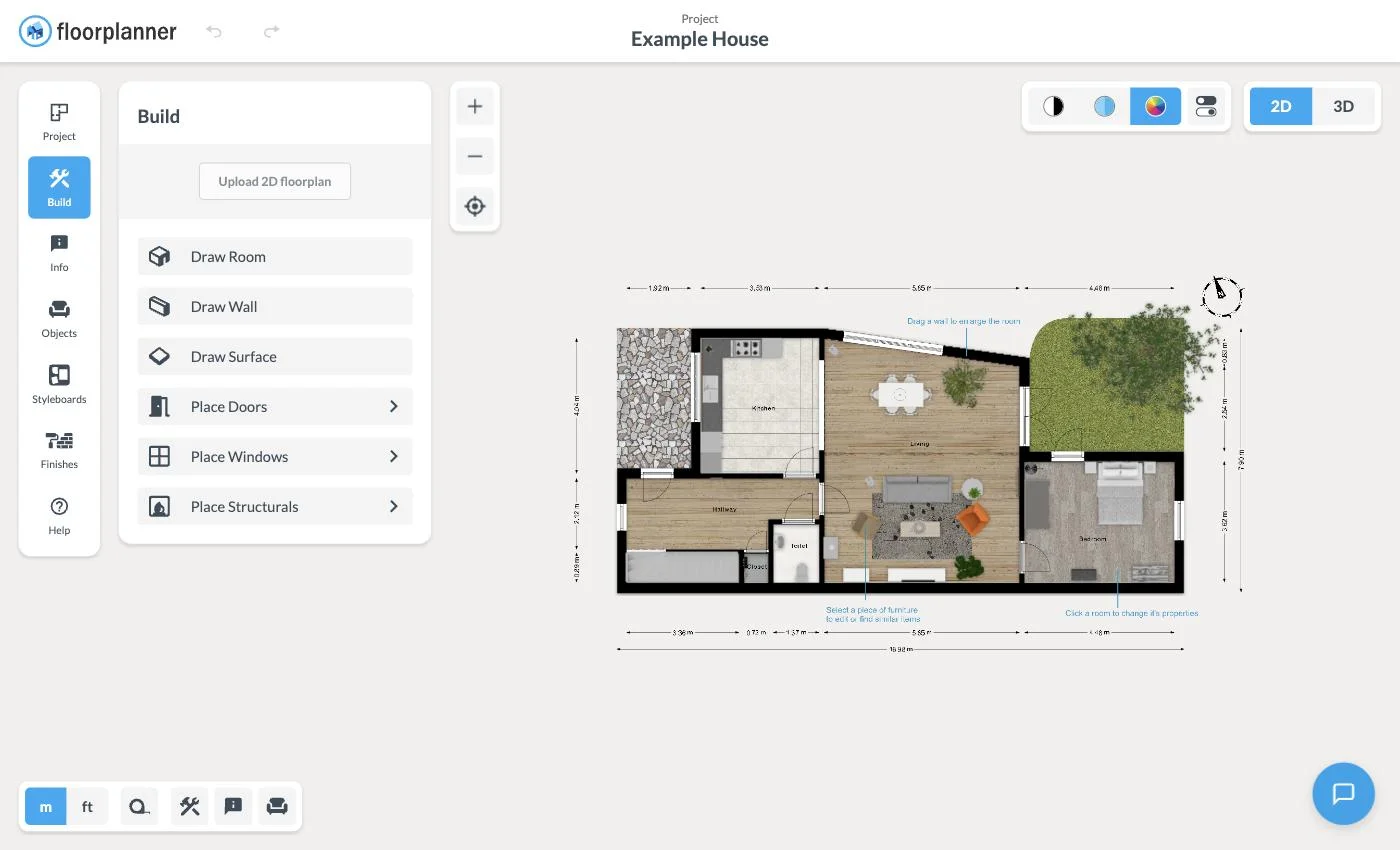
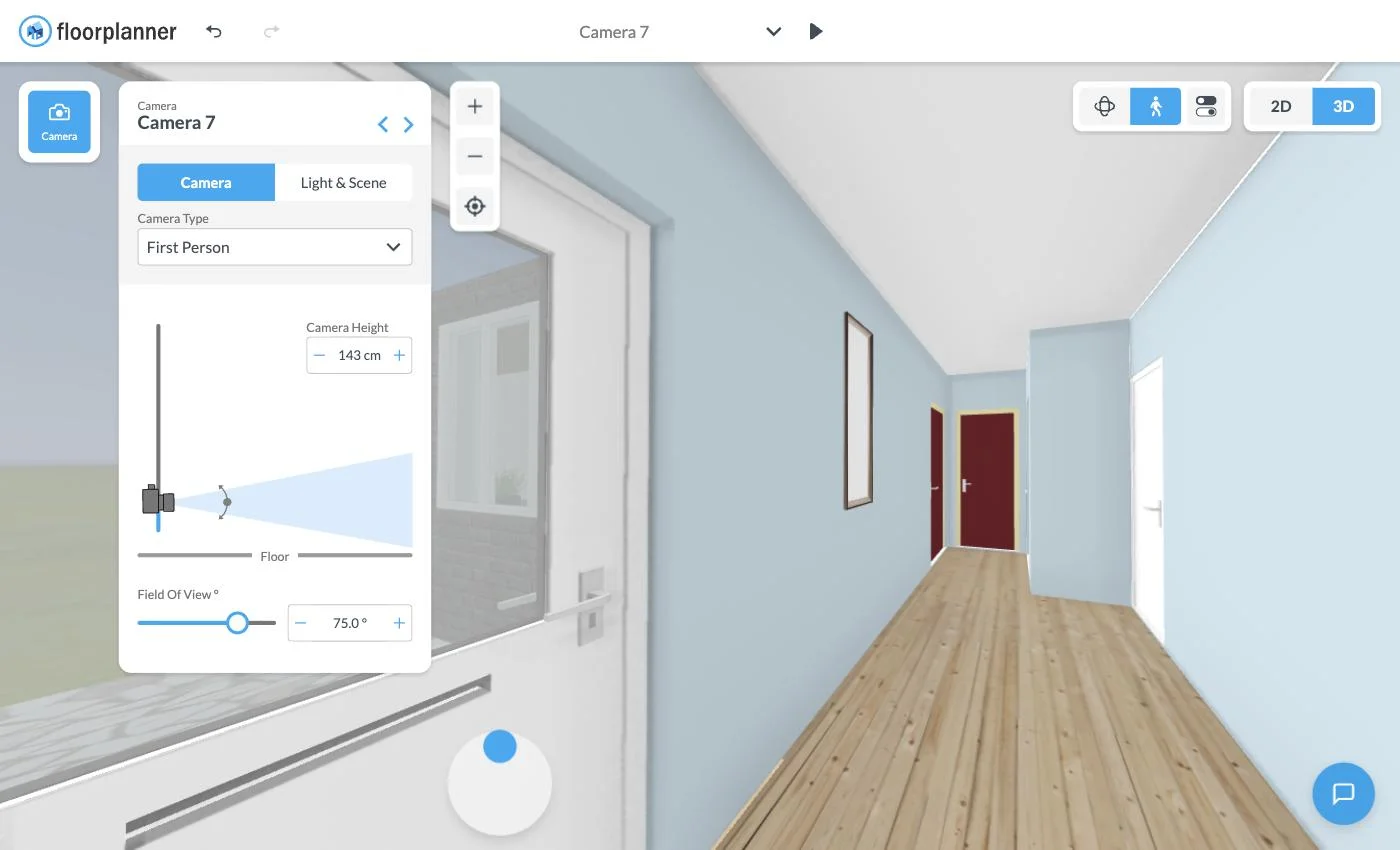
Floorplanner lets you try before you sign up — we opened floorplanner.com/demo without an account and landed straight in the editor, though it took roughly 30 seconds to load. Once inside, the first-person 3D view is still the thing Floorplanner does better than most of this list.
The friction shows up when you want to keep what you made. The free plan allows 5 projects, each capped at 3 floors, with 3 designs total — and free exports come out at SD quality with a watermark. Anything better runs on one-time credits: Floorplanner's pricing page lists 5 credits for $8.15, 10 for $16.30, 30 for $48.90, and 100 for $163.00. Non-expiring credits suit occasional users well, so our objection is narrow: there is no vector output anywhere in that ladder. The money buys prettier pixels, not a file you can hand a drafter.
The Build panel does offer an Upload 2D floorplan option for JPG, PNG, and PDF — but according to third-party reviews, the uploaded image acts as a tracing underlay you draw over by hand rather than something the software converts for you. Verify that before budgeting time around it.
Reference tool first, then our pick, then the rest by paid entry price, highest to lowest.
| Tool | Approach | Best for | Free tier | Paid entry point |
|---|---|---|---|---|
| Floorplanner (reference) | Draw it yourself | 3D walkthroughs | 5 projects, SD watermarked export | 5 credits for $8.15, one-time |
| FloorDrafter | AI generation | Text or a sketch becomes a plan, plus CAD export | First plan with no account, then 5 credits | $12/month |
| Magicplan | Scan it on site | On-site contractors | None | $250/month |
| Cedreo | Draw it yourself | Home builders | 1 user, 1 project | $79/month |
| RoomSketcher | Draw it yourself | Real-estate floor plans | Pay as you go, limited | $12/month |
| SketchUp | Model it yourself | Precise 3D modeling | SketchUp Free on the web | $10.75/month |
| Homestyler | Draw it yourself | Furnishing rooms | Basic, free | From $6.8/month |
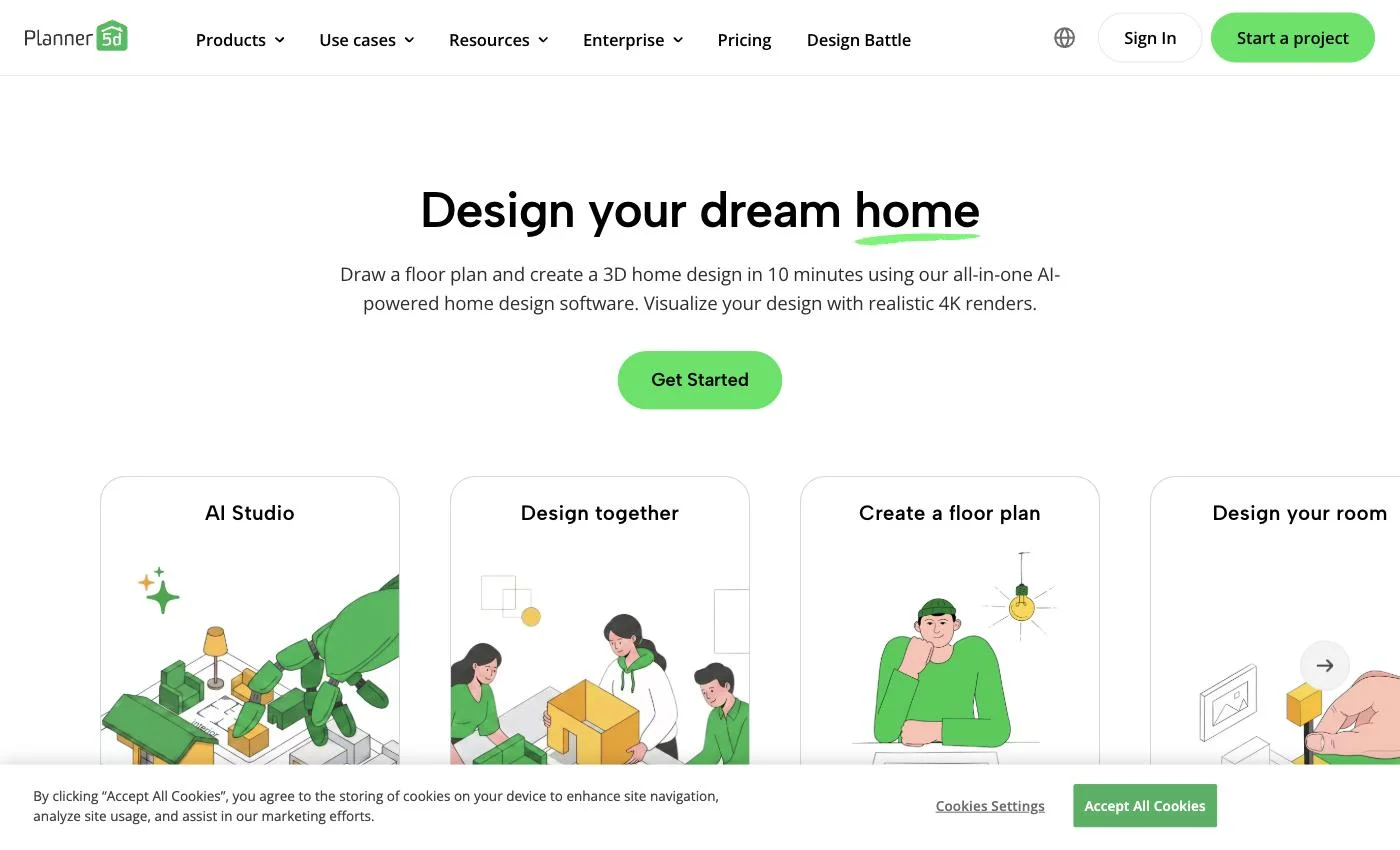
| Planner 5D | Draw or upload | Turning a plan into 3D | Unlimited projects, half the catalog | $4.99/month |
| Sweet Home 3D | Draw it yourself | Offline and open source | Everything, free | None |
Two things jump out of the Approach column. Read the Magicplan row twice — $250 a month, and you still do the measuring. And of nine tools, exactly one generates the plan for you.
FloorDrafter is our tool — disclosed up front, and every specific below is checkable. It earns the top slot for one structural reason: it is the only tool on this page that does not require you to draw.
The rest of this list is drafting software — good drafting software in several cases, but built on the model CAD established decades ago: you supply the geometry, the program stores it. Every other entry starts that way, whether you drag walls, model in 3D, or walk the site with a phone. Even Planner 5D, which markets upload-to-3D, assumes a plan already exists.
FloorDrafter starts from a sentence. Type the rooms, their sizes, the orientation, and anything that must stay fixed, and the AI drafts an editable 2D layout — walls, doors, windows, and room labels included. Generation costs 3 credits, and the first plan runs without an account, so you can judge the output before handing over an email.
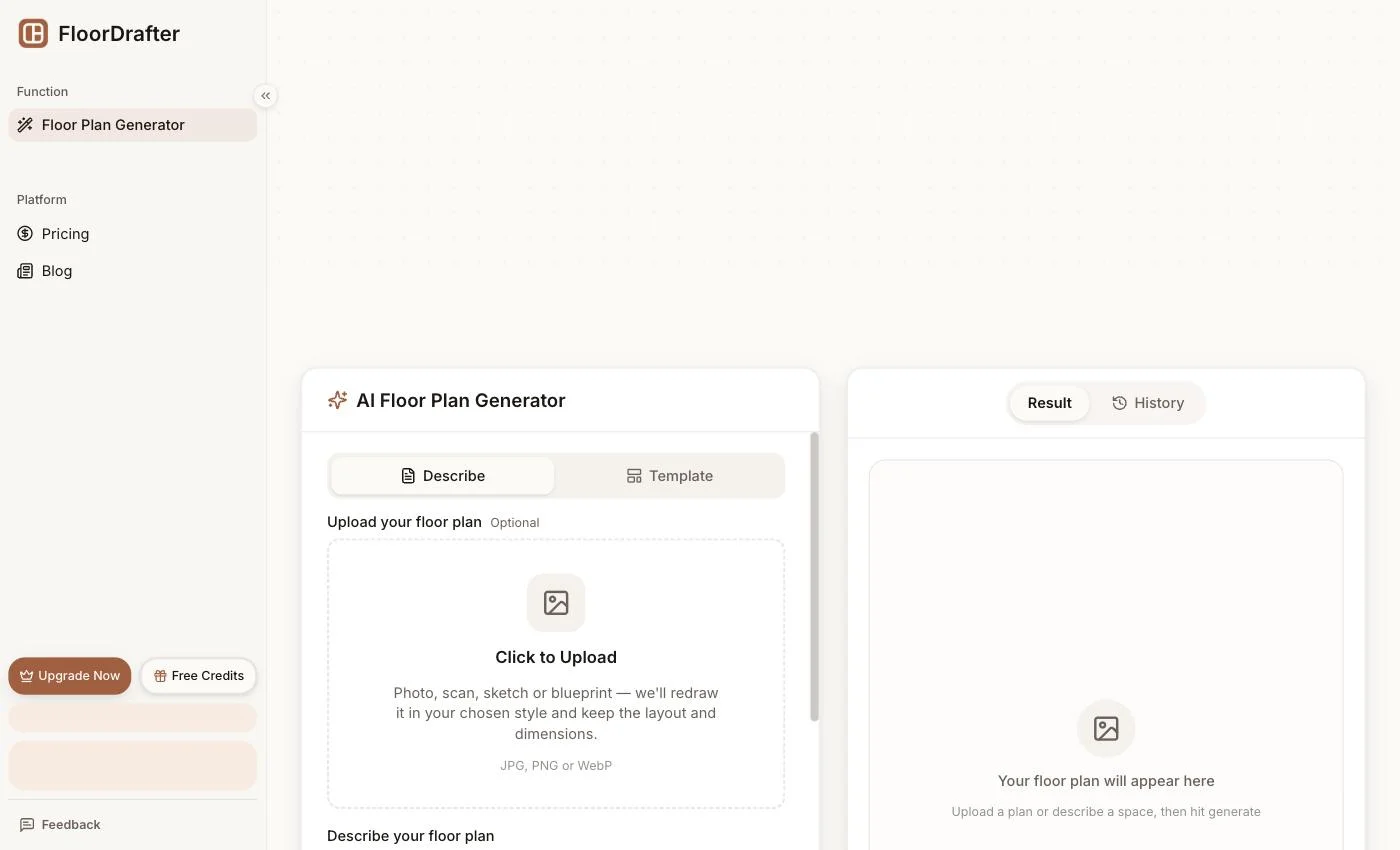
If you already have something, that works too. The upload area puts it plainly — "Photo, scan, sketch or blueprint — we'll redraw it in your chosen style and keep the layout and dimensions" — accepting JPG, PNG, and WebP. Unlike Floorplanner's upload, this redraws the plan rather than parking your image under the canvas to trace.
One input, four outputs: Rendered, Technical, 2.5D, and 3D. Notice the Technical style if a contractor is the audience — same layout, drafting conventions instead of decor.
The tier worth examining is Pro. At $12/month on the annual plan it includes 150 credits per month, 4K output, watermark-free downloads, commercial licensing, priority generation — and DXF / CAD vector export. Floorplanner's credit packs contain no vector export at any spend level, and Planner 5D holds custom 3D model formats back for its $33.33/month Professional plan. A vector file at the $12 mark is the concrete difference.
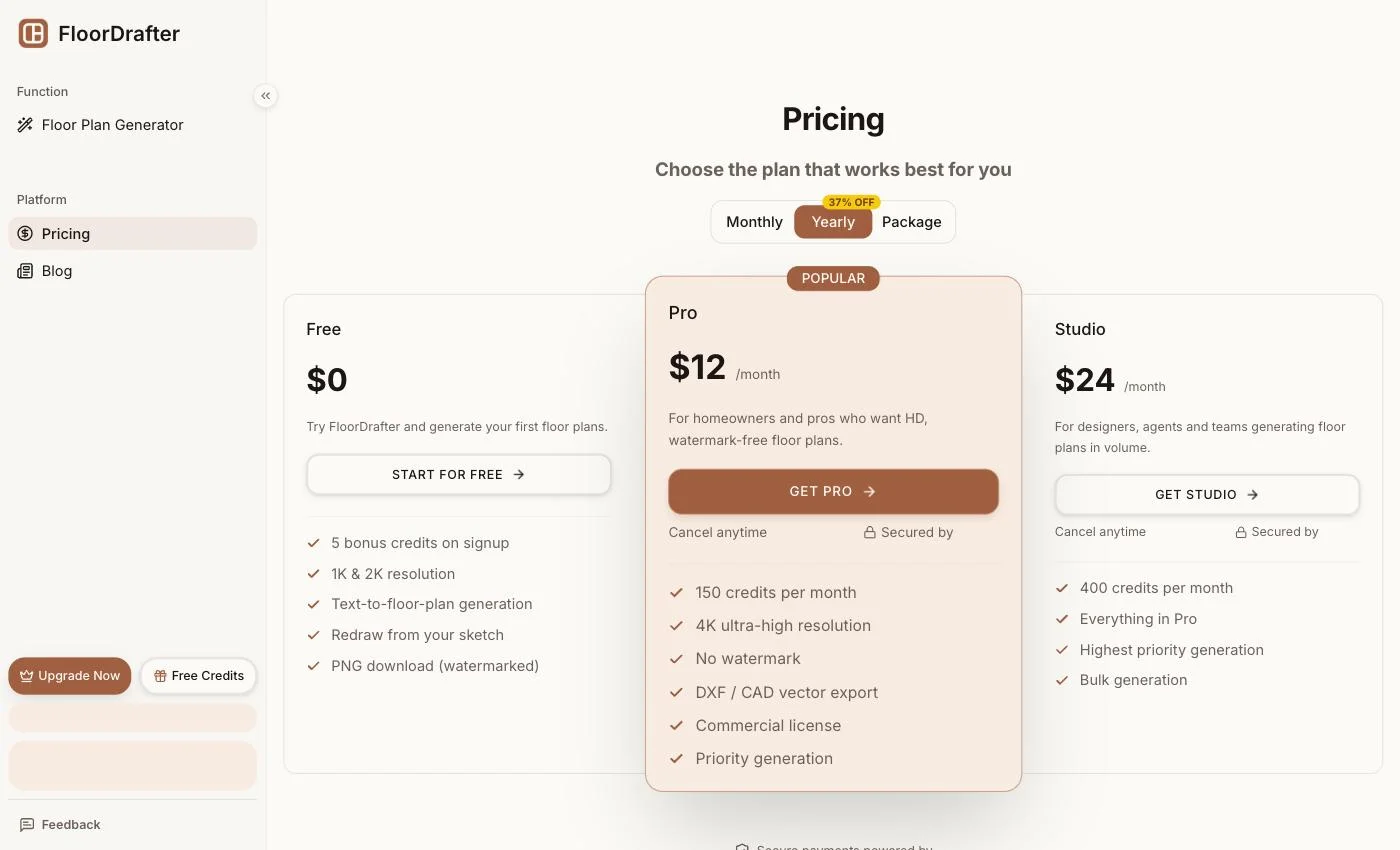
Above that, Studio runs $24/month with 400 credits and bulk generation. At 3 credits a plan that is roughly 130 plans a month — worth putting next to Cedreo, which meters 40 renderings a month on its $79 tier, and Magicplan, which sells 10 projects a month for $300.
Pros:
Cons:
Try it on your own layout. Generate your first plan — no account needed → Signing up adds 5 credits; the Pro and Studio tiers → are where 4K, watermark removal, and CAD export live. Upgrade within 24 hours of creating the account and 20% comes off the first payment automatically — no code to enter, and on annual Pro that turns $144 into $115.20.
RoomSketcher is the closest like-for-like swap for Floorplanner, aimed at property marketing — shortlist it if the output is for a listing rather than a build.
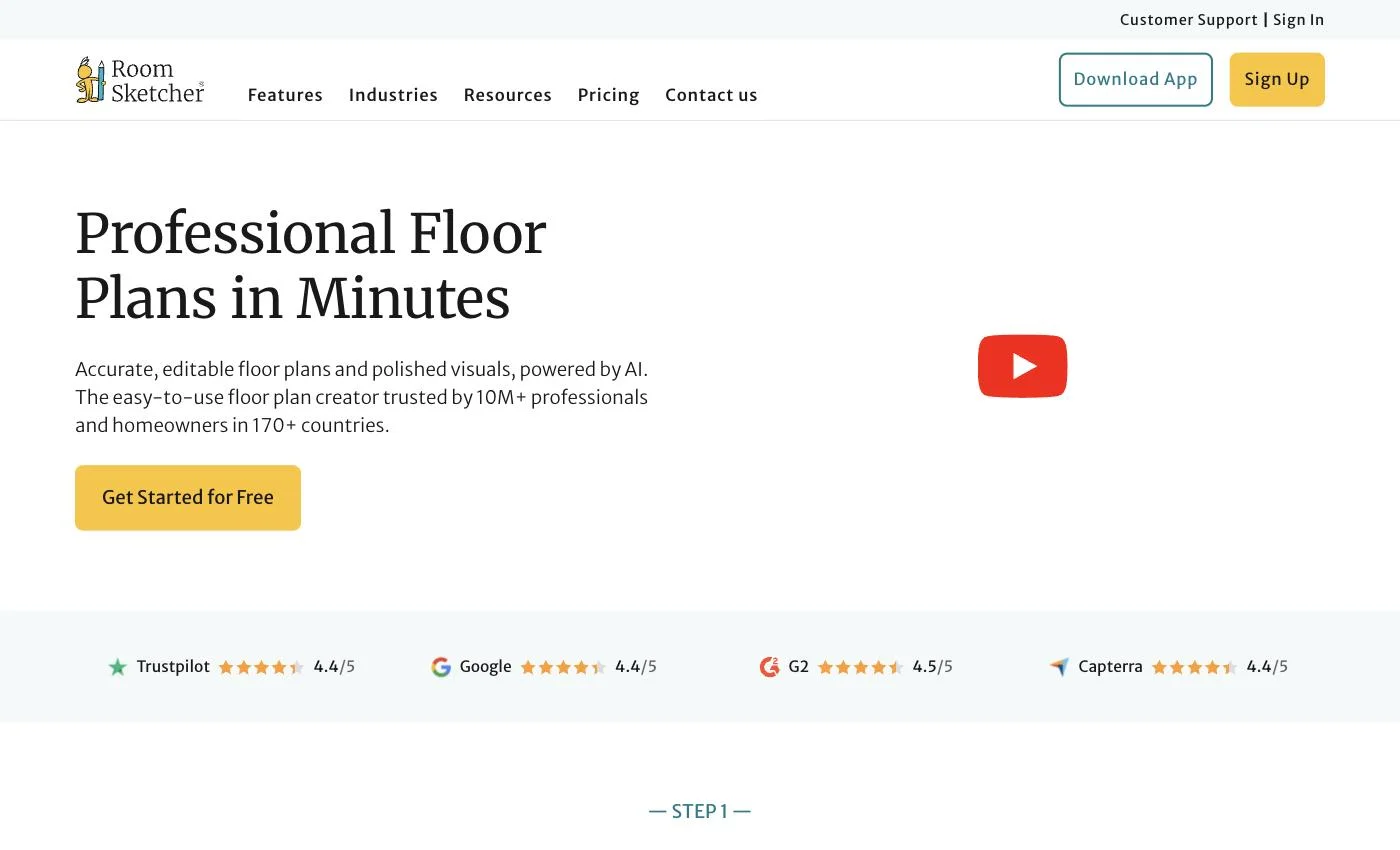
Pricing is legible: Pay as you go at $0 with limited functionality, Pro at $12/month or $144/year, Team at $35/month or $420/year. The site self-publishes Trustpilot 4.4/5, Google 4.4/5, G2 4.5/5, and Capterra 4.4/5 — vendor-selected, though consistent across four platforms.

Confirm on RoomSketcher's pricing page.
Pros:
Cons:
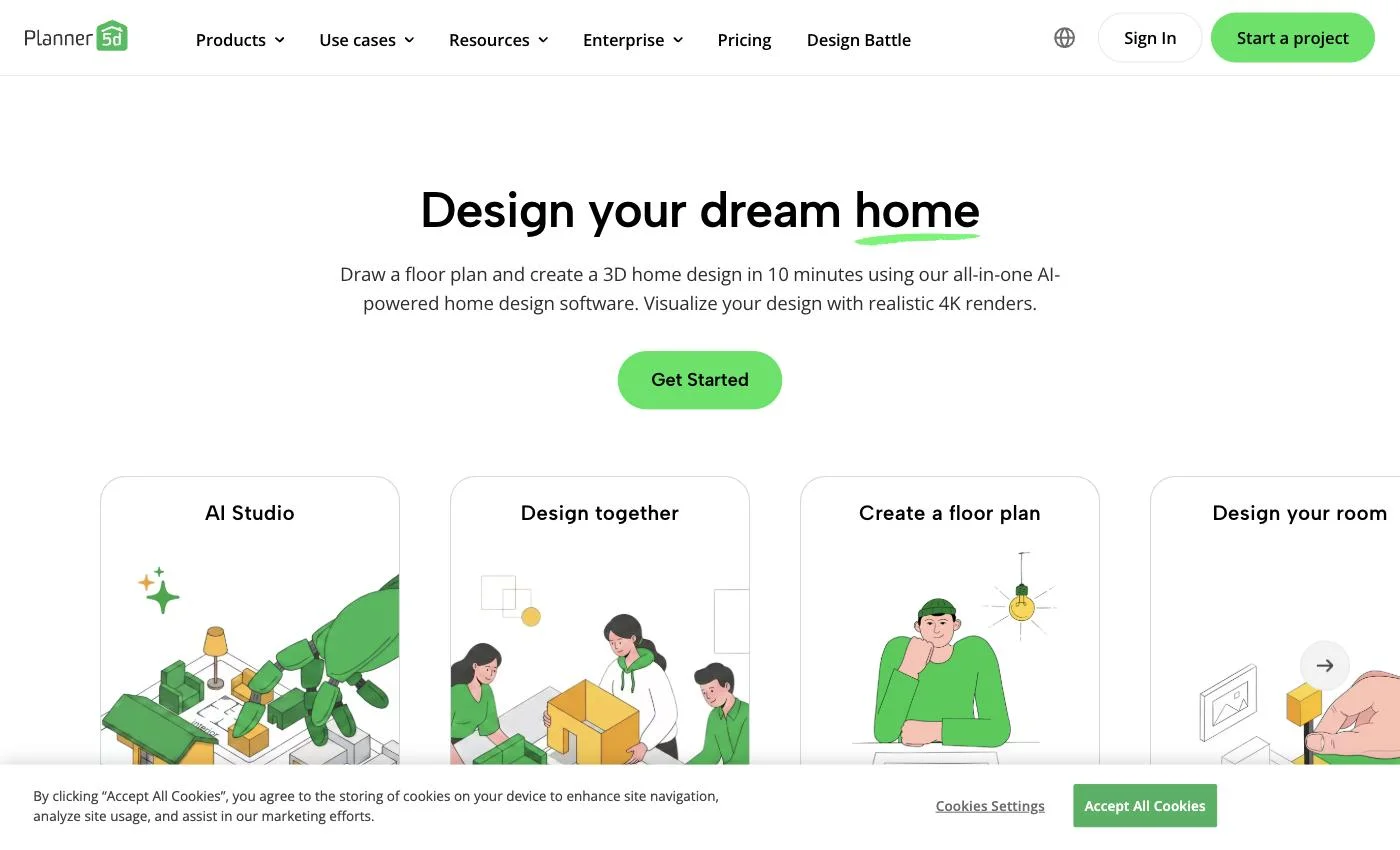
If the deliverable is a furnished 3D scene rather than a plan, Planner 5D markets that directly — "Upload a floor plan and instantly turn it into a 3D project." Note that this sits behind the paid tier, not the free one.
The free tier is generous — unlimited projects, half the furniture library. Premium headlines at $4.99/month, unlocking the full 10K+ catalog and upload-to-3D, but read the fine print: that rate is $59.99 billed yearly, and month to month costs $19.99. Professional at $33.33/month ($399.99/year, or $49.99 monthly) adds unlimited 4K renders, 360° walkthroughs, and custom .obj, .fbx, .blend, and .stl models.
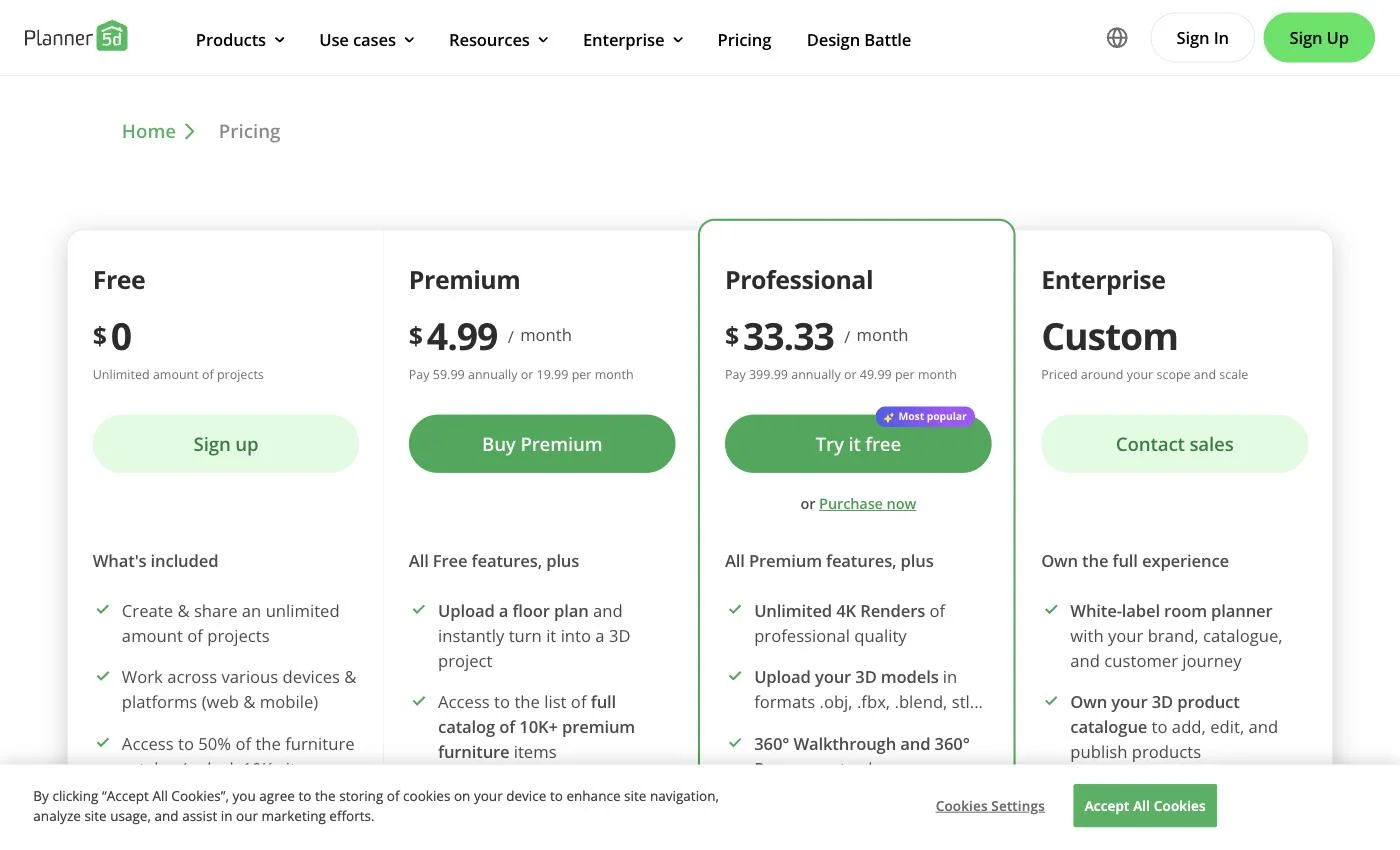
Full tiers on Planner 5D's pricing page.
Pros:
Cons:
Homestyler earns its place on a free Basic plan and a focus on decorating rather than drafting. Start here if the walls are settled and the question is what goes inside them.
Paid tiers begin at $6.8/month for Pro+ and $11.8/month for Master+, which removes render limits. Both include 180 AI credits per month plus 75 renders at each of 2K and 4K, and export colored floor plans and a bill of materials — the BOM turns a mood board into something you can price out. Tiers on Homestyler's pricing page.
Pros:
Cons:
Sweet Home 3D is completely free and open source, with a desktop download and an online version. Its own description is admirably unmarketed: "a free interior design application which helps you draw the plan of your house, arrange furniture on it and visit the results in 3D."
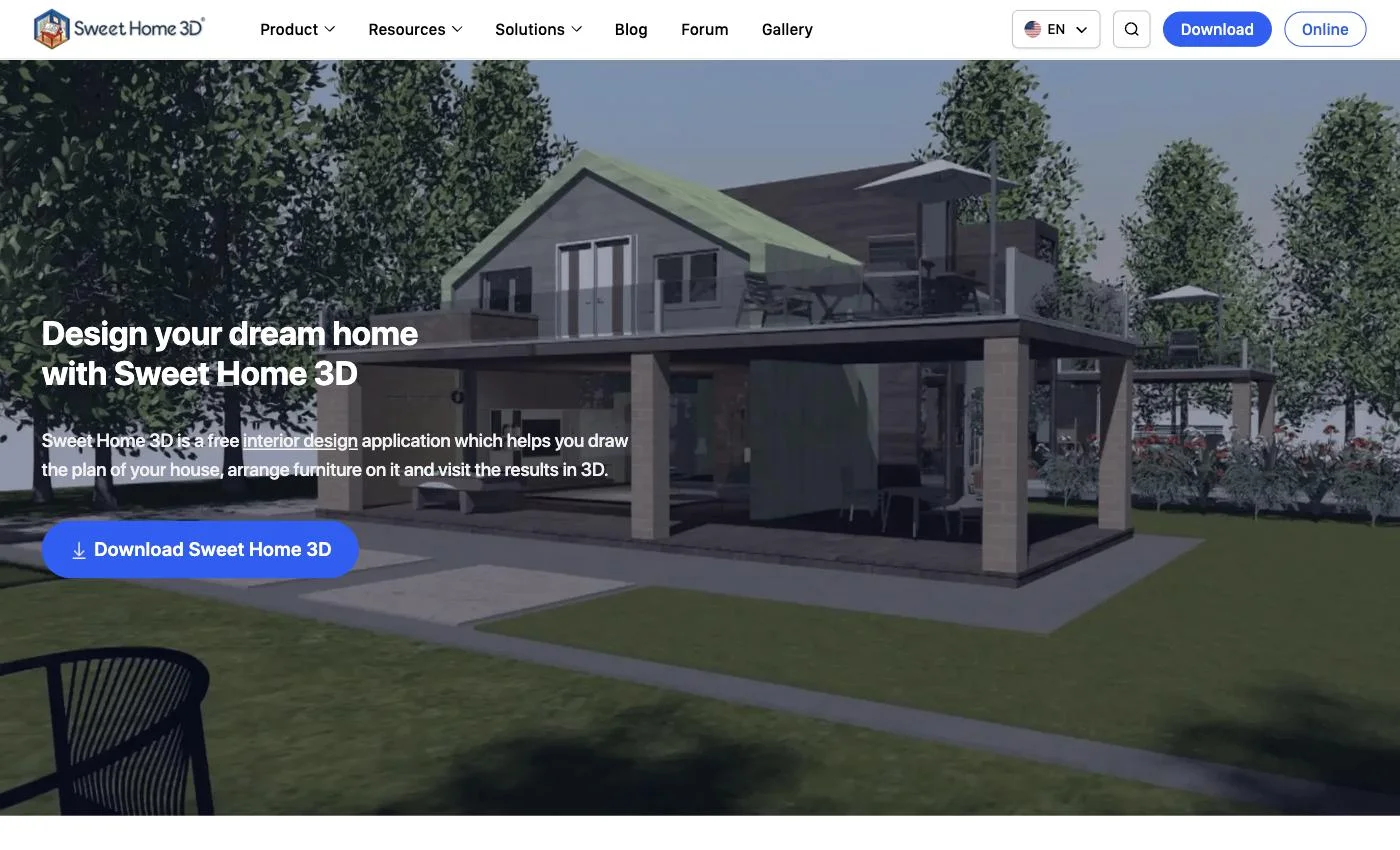
It suits one person: someone who resents subscriptions, tolerates dated software, wants files on their own disk — and will draw every wall to get there. Details at sweethome3d.com.
Pros:
Cons:
SketchUp is the outlier: a general-purpose 3D modeler that happens to be excellent at floor plans. Pick it when precision beats speed.
SketchUp Free covers the web; SketchUp for Schools is free for Google Workspace for Education accounts. Paid, Go is $10.75/month per user annually and Pro is $33.25/month per user annually — see SketchUp's plans and pricing.
Pros:
Cons:
Most roundups list Magicplan next to free tools as though it were a comparable download. It is not: its pricing page enforces a 10-project monthly minimum, and the per-project rate depends on contract length.
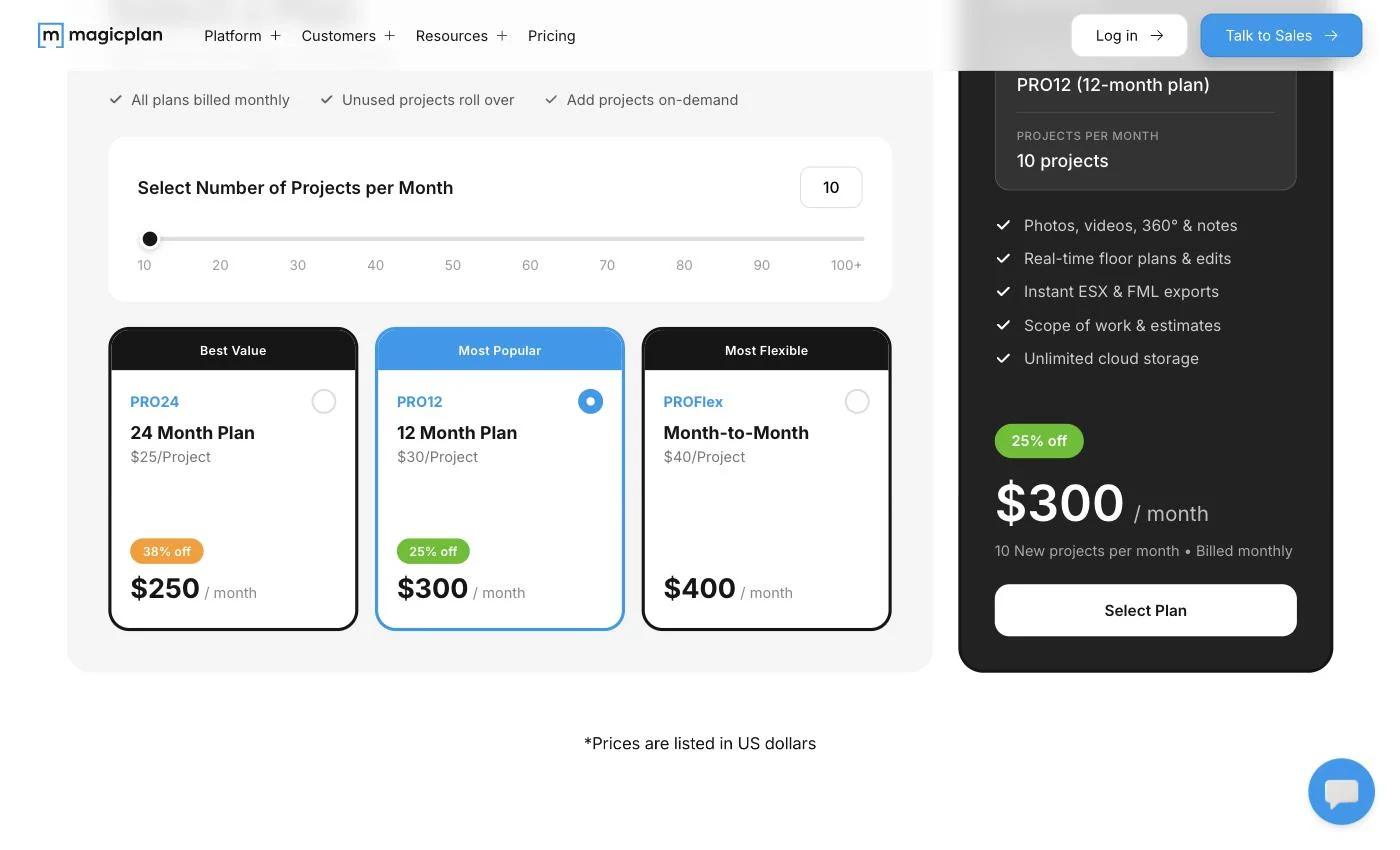
PRO24, on a 24-month commitment, is $25/project — $250/month. PRO12 is $30/project, or $300/month. PROFlex, billed monthly, is $40/project, or $400/month. The real floor is $250/month, and that is the discounted end.
Reasonable for a contractor who measures buildings for a living. A strange recommendation for a homeowner sketching a kitchen, which is how it usually gets presented.
Pros:
Cons:
Cedreo targets home builders who show clients a rendering mid-conversation. Its free tier — 1 user, 1 project — is a trial in everything but name.
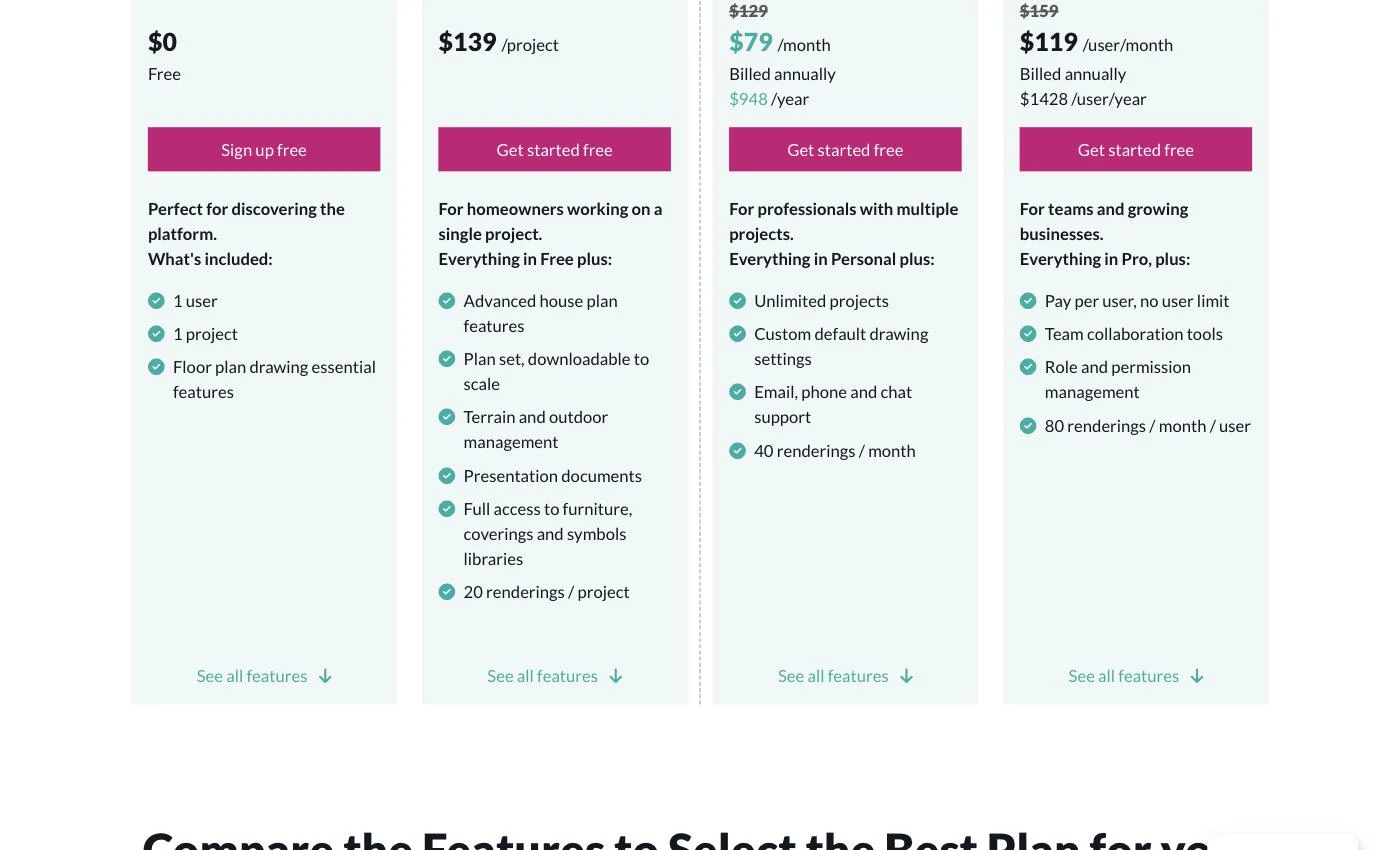
On Cedreo's pricing page: Personal is $139/project with 20 renders. Pro is $79/month billed annually at $948/year, down from a $129 list, with unlimited projects and 40 renders per month. Team is $119/user/month, $1428/user/year against a $159 list, with 80 renders per user monthly.
Pros:
Cons:
Sorted by job, not by score:
Most of this list solves the same problem Floorplanner already solves, one notch cheaper. If your actual complaint is the drawing step — or that the file you paid for still is not the file you needed — that is a different problem, and it is the one we built for.
What are the best free Floorplanner alternatives?
It depends what "free" has to cover. Sweet Home 3D is free forever as open-source desktop software — you install it and draw everything yourself. Planner 5D's free plan does not cap project count but locks half the furniture catalog. If you would rather not draw at all, FloorDrafter generates your first plan without an account, and signing up adds 5 credits.
Is there a free Floorplanner alternative that exports without a watermark?
Watermarking the free tier is the category norm — Floorplanner's SD exports and our own free PNGs included — because removing it is what the paid tier sells. Sweet Home 3D avoids it by having no paid tier at all, at the cost of drawing everything yourself. If the goal is a clean file rather than free software, FloorDrafter's $12/month Pro tier removes the watermark and adds 4K, commercial rights, and DXF export in one step.
Is there a Floorplanner alternative that creates the plan for me?
FloorDrafter is the only tool on this list that generates a layout from a written description — you type the rooms, sizes, and orientation, and it drafts an editable 2D plan. Everything else here, Floorplanner included, expects you to draw the walls or supply a plan that already exists. The first generation runs without an account if you want to test the output first.
Can I upload an existing floor plan instead of drawing it from scratch?
Yes, with caveats by tool. FloorDrafter accepts JPG, PNG, and WebP and redraws the plan; Planner 5D markets upload-to-3D on its paid tier. Floorplanner's Upload 2D floorplan takes JPG, PNG, and PDF, but according to third-party reviews it functions as a tracing underlay you draw over manually.
Which Floorplanner alternative exports to CAD or DXF?
FloorDrafter includes DXF / CAD vector export in its $12/month Pro tier. Floorplanner's credit packs do not include vector export at any level, and Planner 5D reserves custom 3D model formats (.obj, .fbx, .blend, .stl) for its $33.33/month Professional plan.
Why do so many Floorplanner alternative searches end up on Reddit?
Because pricing pages describe tiers but not the friction of using them — how long the editor takes to load, what the watermark looks like, whether an upload really saves time. That is why every price here links back to its source: check our claims rather than take them.